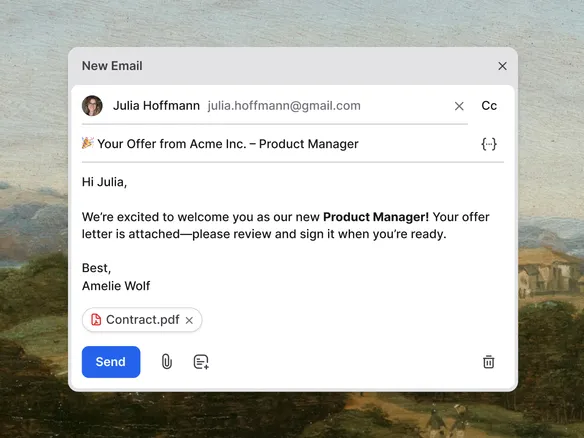
Email candidates from one Join inbox. Pre-written templates, merge fields, scheduled sends, and reply-to forwarding so the next status update doesn't fall off your desk.
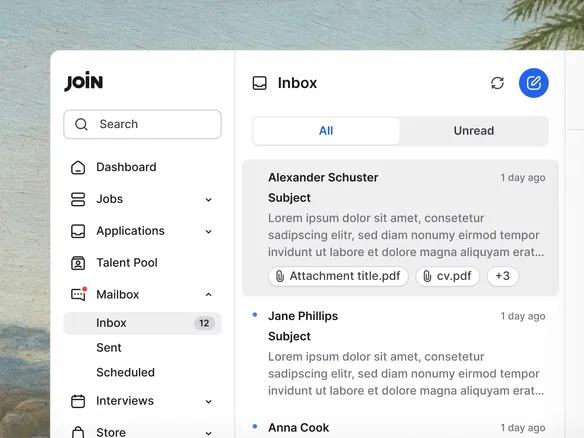
Every candidate conversation sits in one thread on the profile. When the candidate replies, Join forwards the reply to your own work email so you can answer from there. The reply syncs back to the candidate profile automatically, so the team always has context.
Every conversation in one thread on the candidate profile
Candidate replies forwarded to your work email automatically
Replies sync back to the profile so the team always has context
02
Templates that actually feel personal.
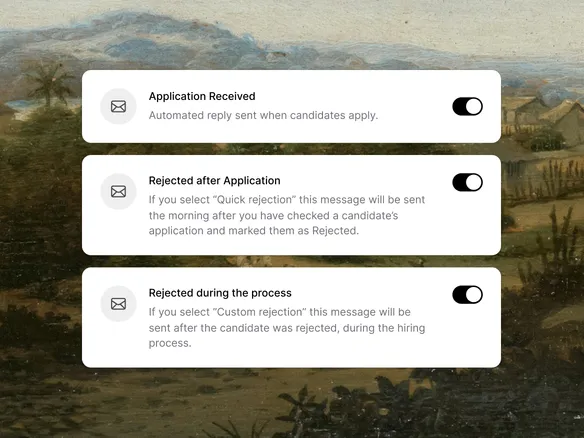
Pre-write the 'next round' invite, the rejection, the offer follow-up. Merge fields like {first_name}, {role}, and {interview_date} pull from the candidate record, so every send reads as an individual note. Save the templates your team uses most; tweak inline before you hit send.
Merge fields pull name, role, and dates from the candidate record
Save the templates your team sends most often
Tweak inline before hitting send — no template lock-in
03
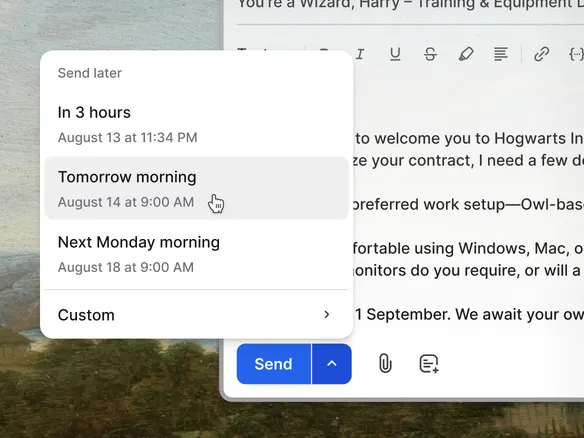
Schedule the email for when it lands best.
Drafting the rejection at 11pm? Schedule it to send Tuesday at 10am, when the candidate is more likely to read it without it derailing their evening. Same for the next-round invite. The send queue is visible per candidate; cancel or reschedule any time before the email goes out.