The right access for every role on the hiring team.
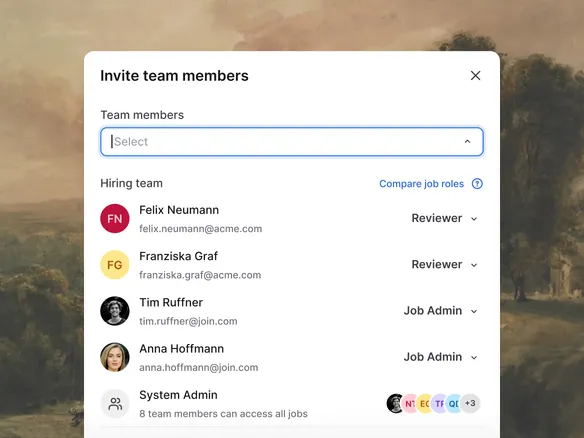
A two-tier role model: three company-wide roles and three per-job roles. Unless you're a system admin, you only see the jobs and candidates for which you have a job-level role. Simple to reason about, easy to change.
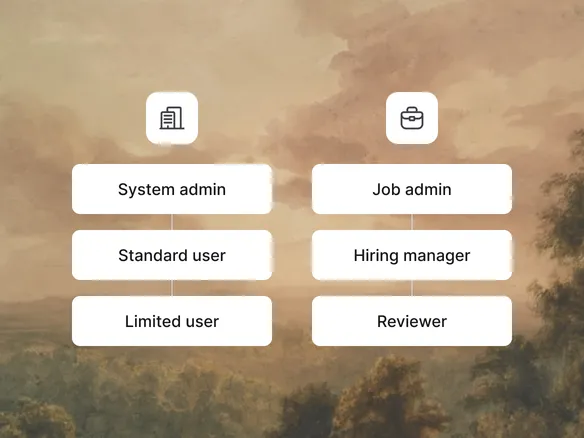
At the company level: System admin (full access to everything), Standard (sees jobs they're added to), Limited (most restricted). At the job level: Job admin (owns the role), Hiring manager (decides on the hire), Reviewer (interviews and rates). The two axes combine: a person's company role sets the floor; their job role sets what they can do on each specific role.
Company role sets the access floor across the workspace
Job role defines what each person can do on each specific role
Two axes combine for fine-grained, easy-to-reason-about control
02
Per-job scoping. No cross-team leak.
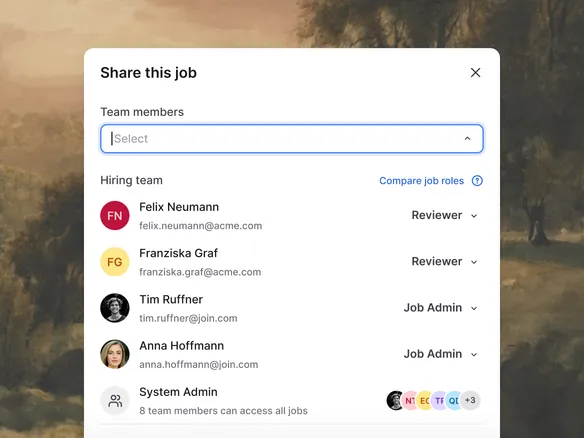
Unless you're a system admin, you only see the jobs and candidates for which you have a job-level role. The marketing team's pipeline isn't visible to engineering, and vice versa. Inviting someone to a role grants them access to that role's candidates; removing them ends it. No global candidate visibility, no accidental cross-team leak.
Users see only the jobs they're explicitly added to
Inviting to a role grants access; removing ends it immediately
No global candidate visibility or accidental cross-team exposure
03
SSO and SCIM via WorkOS, shipping soon.
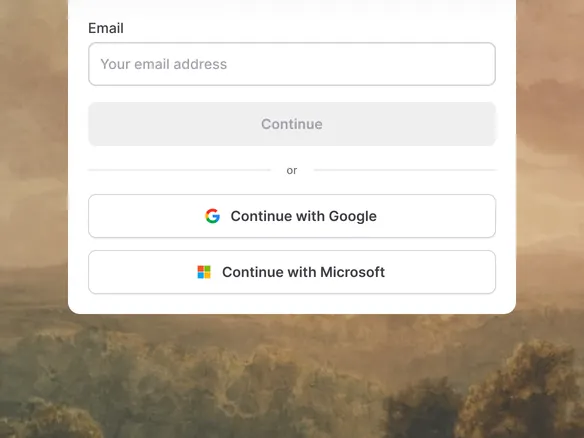
Enterprise SSO and SCIM provisioning are being built on WorkOS, the auth platform used by Vercel, Notion, Webflow, and others. When it lands you'll get SAML SSO across Okta, Microsoft Entra ID, Google Workspace, OneLogin, JumpCloud, and any standards-compliant IdP, plus SCIM directory sync. Until then, Join handles auth with email and password plus magic links.
SAML SSO across Okta, Entra ID, Google Workspace, and more
SCIM directory sync for automatic provisioning and deprovisioning
Until then: email, password, and magic-link auth
WHAT YOU CAN DO
A permission model built for real hiring teams.
Two-tier role model
Company-wide role (Admin / Standard / Limited) sets the floor; per-job role (Job admin / Hiring manager / Reviewer) sets what a person can do on each specific role.
Per-job access
Outside of system admins, users see only the jobs and candidates for which they have a job-level role. No cross-team leak by default.
Invite external collaborators to one job
Give an external recruiter or hiring panellist a job-level role on a single role. They never see your other jobs or candidates.
SSO + SCIM (shipping soon)
Enterprise auth via WorkOS, with SAML SSO and SCIM provisioning across Okta, Microsoft Entra ID, Google Workspace, OneLogin, JumpCloud, and any SAML IdP.
Roles & permissions FAQ
How does Join's role model work?
Two axes. At the company level, every user has one of three roles: System admin (full access), Standard (sees only the jobs they're added to), or Limited (most restricted). At the job level, users on a specific role have one of three job roles: Job admin (owns the role), Hiring manager (decides on the hire), or Reviewer (interviews and rates). Outside of system admins, only people with a job-level role on a specific role can see it or its candidates.
Can I restrict access so people only see certain jobs?
Yes. That's the default. Outside of system admins, users can only see jobs where they've been given a job-level role (Job admin, Hiring manager, or Reviewer). The marketing team's jobs aren't visible to engineering and vice versa unless explicitly shared.
How do I give an external collaborator scoped access?
Invite them by email and assign them a job-level role (e.g., Reviewer) on the specific jobs they should work on. They see only those jobs and their candidates, never the rest of your workspace.
Does Join support SSO (Google, Okta, SAML)?
Shipping soon. SSO and SCIM are being built on WorkOS, the auth platform behind Vercel, Notion, and Webflow. When it lands you'll get SAML SSO across Okta, Microsoft Entra ID, Google Workspace, OneLogin, JumpCloud, and any standards-compliant IdP, plus SCIM directory sync. Until then, Join supports email-and-password plus magic-link auth.
Does Join log permission changes?
A full permission-change audit log isn't shipped yet; it's on the compliance roadmap alongside SOC 2 documentation. EU data hosting and processor agreements are already in place. See trust.join.com.