The hiring decision lives with the candidate. Not in Slack.
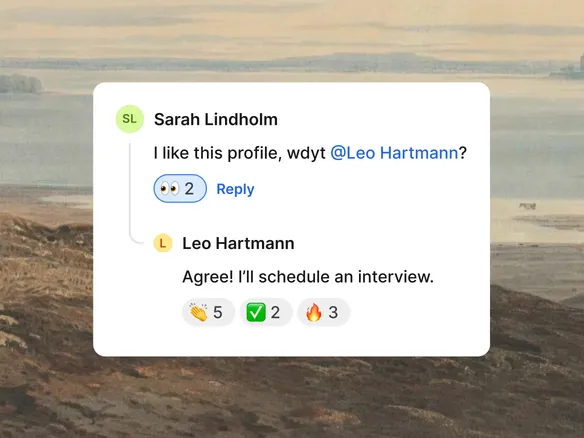
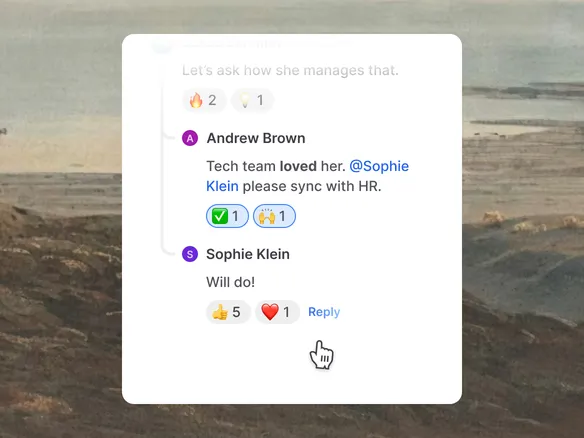
Add a note on any candidate, @-mention a teammate, keep the whole conversation on the profile. Not scrolled past in #hiring at 11pm, not lost in last week's DM thread.
Every comment, decision, and follow-up sits on the candidate's profile, not in a chat thread no one can find next quarter. Rich text, attachments, links. Write it once, in the place the team will look for it.
Comments and decisions on the profile, not in a chat thread
Rich text, attachments, and links supported
Write once in the place the whole team will look for it
02
@-mention the right person. Notifications that route.
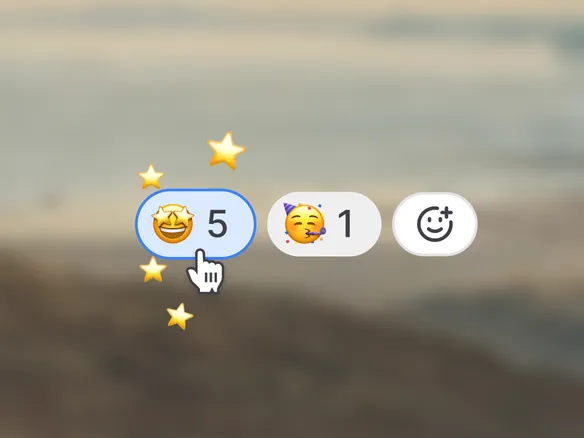
Mention a teammate to send them straight to the note. They get an in-app notification and an email so the message lands wherever they pay attention. Quick emoji reactions handle the everyday acknowledgements without forcing a full reply, so the thread stays tidy. No more 'did you see the comment on Anna?'.
Mentioned teammates get in-app and email notifications
Emoji reactions for quick acknowledgements without a full reply
No more 'did you see the comment on Anna?'
03
Private notes, team notes.
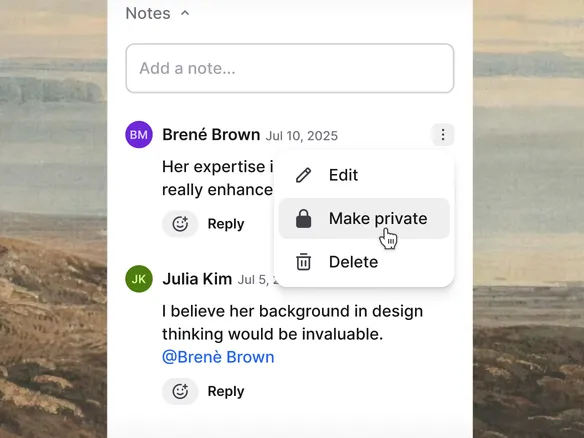
Mark a note as private (visible to you and anyone you @-mention in it) or team (visible to everyone with access to the candidate). Give a teammate a heads-up on a sensitive observation without making it team-visible: just mention them inside a private note. Same surface, right audience.
Private notes visible only to you and @-mentioned teammates
Team notes visible to everyone with access to the candidate
Same surface, right audience — one visibility toggle
WHAT YOU CAN DO
Built for how hiring conversations actually happen.
Rich text + attachments
Format notes with headings, lists, links. Drop in a PDF reference check, an audio clip from a phone screen, a screenshot of the candidate's portfolio.
@-mention shares the note
Mention a teammate inside a private note and they get visibility on it. A clean way to loop in one person on a sensitive observation without making the note team-wide.
Two-level visibility
Every note is either private (visible to you and anyone you @-mention) or team (visible to everyone with access to the candidate). One control, easy to reason about.
Emoji reactions
Drop a reaction on a teammate's note when a full reply would be overkill. Quick signal, tidy thread, the team still knows you saw it.
Candidate notes FAQ
Are notes visible to candidates?
No. Notes are internal to the hiring team and never appear in any candidate-facing view, even when you share a candidate profile externally for reference checks or panel review.
How does note visibility work?
Every note is either private or team. Private notes are visible to you and to anyone you @-mention in the note (the mention itself grants them access). Team notes are visible to everyone with access to the candidate. Two levels, easy to reason about.
Do @-mentions trigger notifications?
Yes. Mentioned teammates get an in-app notification and an email so the message lands wherever they pay attention. They click through to the exact note on the candidate profile and reply right there.
Can I attach files to a note?
Yes. Drop in a PDF reference check, an audio clip from a phone screen, a screenshot of a candidate portfolio. Attachments stay with the note on the candidate profile and inherit the note's visibility setting.
What's the difference between a note and a scorecard?
Notes are free-form text for context, follow-ups, and gut reactions. Scorecards are structured ratings against pre-defined criteria for an interview round. Use scorecards to capture the rating; use notes to capture the why.